
REVIEW · GARDEN ROUTE TOURS
South Africa: Audioguide App for Garden Route & Western Cape
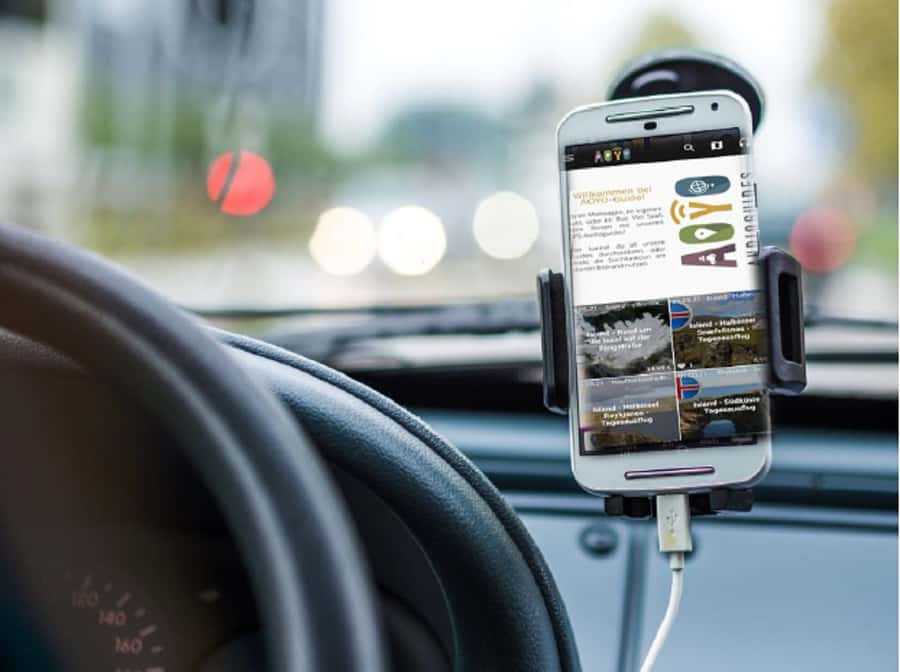
GPS audio on the Garden Route, no tour bus. This self-drive audioguide turns your rental car route into a guided story, with GPS-triggered playback at 210+ stops across the Garden Route and Western Cape. You get the feeling of a tour guide, without giving up your own pace or making extra plans.
What I like most is the app’s real-voice narration by actors, not a robot reading facts. And I also like that the guide is built for real driving, with offline access, so you can keep your phone useful even when signal gets weak.
One thing to think about first: this is audio-only, so there’s no live guide to answer questions or adjust on the fly. Entrance fees and parking are also on you, because the guide is about information, not ticketing.
In This Review
- Key Points You’ll Actually Care About
- How This GPS Audioguide Turns a Rental Car Into a Real Itinerary
- The App’s Big Selling Point: Real Voices and Smart On-the-Road Timing
- 210+ Stops, About 6 Hours of Audio: What That Amount Means for Your Day
- Where the Stories Fit: Garden Route, Cape Town Area, and North of Cape Town
- Garden Route Driving
- Cape Town Surroundings
- Regions North of Cape Town
- Offline by Design: Why Downloading Matters in South Africa Driving
- English or German, and How to Pick the Right Listening Mode
- Value for Money: $23 per Group, Not Per Person
- What’s Not Included, and Why That’s Actually Helpful
- Practical Tips for Using It Well (So You Don’t Miss the Good Parts)
- Who This Audioguide Is Best For
- What the Positive Reviews Emphasize, and Why I Agree With the Logic
- Should You Book This South Africa Garden Route and Western Cape Audioguide?
- FAQ
- Do I need a meeting point to start?
- How long is the audio guide, and how many stops does it include?
- Does the audioguide work offline?
- What languages are available?
- Is it narrated by a real person or a computer voice?
- Is the guide price per person?
- Are entrance fees and parking included?
Key Points You’ll Actually Care About
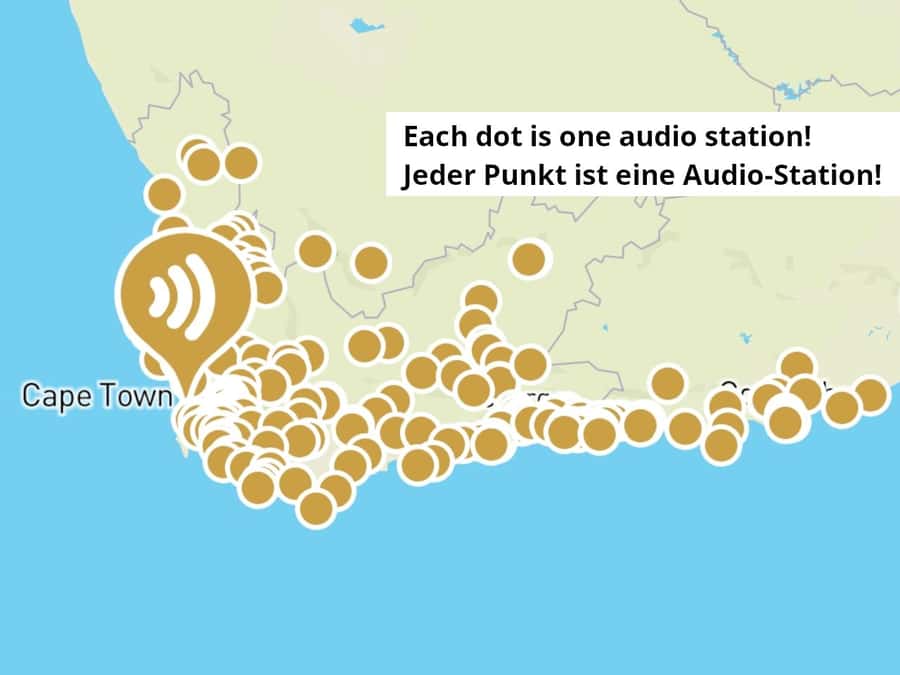
- GPS-triggered stations mean the right story plays when you reach the right spot
- Real voice actors keep the narration human, steady, and easier to listen to while moving
- Offline download lets you use the guide without relying on data coverage
- 210+ stops, 6 hours of content across the Garden Route, Cape Town area, and north of Cape Town regions
- You control the timing, with map view and list playback for jumping around
Longer and shorter runs along the Garden Route
- From Cape Town: 2-Day Safari at Garden Route Game Lodge★ 4.8 · 928 reviews
- 5 Day Garden Route and Addo Safari – Best of South Africa Small Group Tour★ 5.0 · 291 reviews
- 6-Day Garden Route & Addo South African Adventure from Cape Town★ 5.0 · 282 reviews
- 3 Day Garden Route’s Best Highlights with Safari from Cape Town★ 5.0 · 189 reviews
How This GPS Audioguide Turns a Rental Car Into a Real Itinerary

Most driving tours fail in the same way. You stop, you look, you take a photo, then later you try to remember what it was all about. This audioguide is built to solve that gap. It uses GPS to recognize where you are, then plays the station audio automatically as you pass through the planned points.
That matters because the Garden Route and Western Cape are the kind of area where your attention changes fast. One minute you’re watching coast views or town streets, the next you’re noticing a building style, a landscape clue, or a street-name detail that suddenly makes sense. With GPS-supported playback, the app helps you connect those moments immediately, so you’re not hunting for context after the drive.
It also helps you travel like a grown-up. You do not have to follow a group schedule, wait at a bus stop, or rush through a stop because the next group is getting impatient. The guide is there when you want it, and you can keep moving when you don’t.
The App’s Big Selling Point: Real Voices and Smart On-the-Road Timing
A lot of audioguides feel like a lecture you have to tolerate. This one is narrated by real voice actors, which changes the whole listening experience. The pacing and delivery tend to feel more like a person guiding you through what you’re seeing, not like an automated system.
The second magic trick is how it uses GPS. The guide doesn’t just give you a long list of facts. It gives you individual stations. Think of each station as a short, focused “look up and notice this” moment, triggered as you reach the right area.
You also get two ways to play:
- Automatic station playback with GPS
- Manual listening via a map view or a list
That gives you control. If you want to repeat a station because you pulled into a parking spot and want to listen again, you can. If you missed one while driving, you can backtrack in the app and catch it when you’re stopped.
210+ Stops, About 6 Hours of Audio: What That Amount Means for Your Day
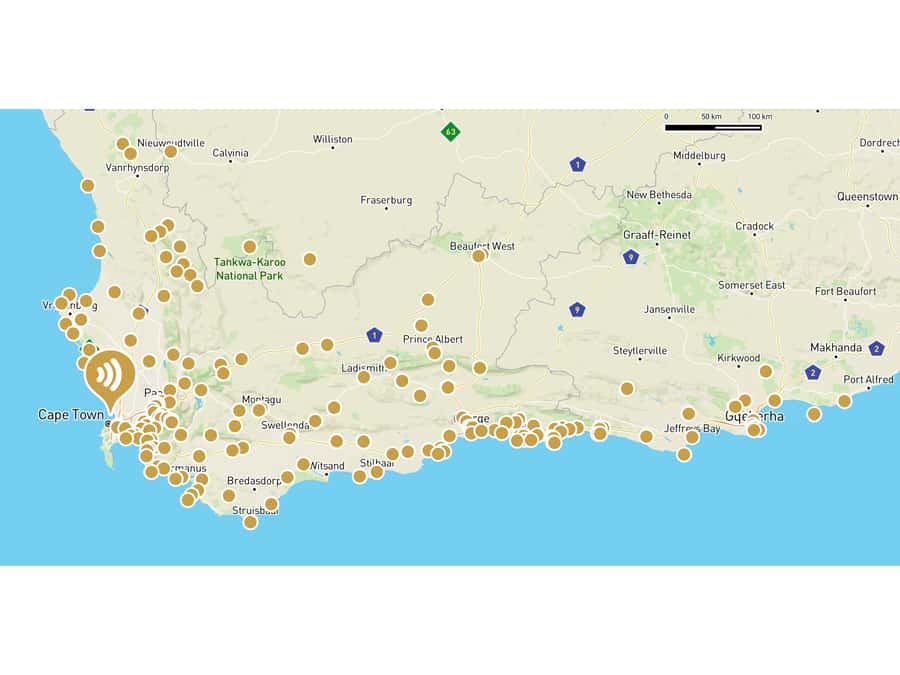
The guide includes over 210 stations with roughly 6 hours of audio. That number is not just about total content. It tells you the app is designed to spread stories across a route, not cram everything into a single dramatic session.
In practice, that means you can shape your trip. If you’re doing a longer self-drive, you can take one or two stations at a time and still have plenty left for later days. If you have a shorter trip window, you can still get value by cherry-picking the stations you’re most interested in, using the app’s map view or list.
The guide also covers more than one region. You’re not limited to only the coastal Garden Route segments. It includes surroundings of Cape Town and regions north of Cape Town as well. So even if your road trip style is “Cape Town first, then the coast,” or the reverse, the app matches that logic.
Where the Stories Fit: Garden Route, Cape Town Area, and North of Cape Town

You’ll be driving through a mix of towns, roads with frequent turnoffs, and places where you stop for views or photo breaks. The app’s GPS stations are meant to guide your attention in those moments.
Here’s how I think about it while you’re using it:



Garden Route Driving
On the Garden Route, your best moments are often the ones you notice at slow speed or during quick pull-offs. The guide’s station design helps you interpret what you’re seeing while it’s still in front of you. You get information that connects the present scene to the people and place behind it.
A practical benefit here is simple: it keeps you from treating the drive like empty scenery. Instead of just watching the road, you learn what makes particular areas meaningful.
Cape Town Surroundings
Cape Town area driving can feel like a mix of city energy and quick transitions into calmer settings. The guide adds context for what you’re passing, so you’re not only thinking about where to park and what to photograph.
If you’re trying to balance a few city moments with time to explore nearby areas, this kind of GPS audio can help you avoid feeling lost between “big-ticket” stops.
Regions North of Cape Town
When you head north, the travel mood can change again. The app includes content for that direction too, so you’re not stuck starting over with a new source of information. It’s a single downloadable guide covering multiple areas, which is exactly what you want on a self-drive where you do not want to plan every fact from scratch.
Offline by Design: Why Downloading Matters in South Africa Driving
One of the easiest ways audioguides disappoint is signal dependence. If you need data, you’re suddenly paying attention to the phone instead of the scenery.
This guide is designed for offline functionality. You download the audio guide for offline use after installation, and you can use it as many times as you like. The app is offline-ready, which matters a lot on long drives along the coast or when you’re traveling through areas where coverage can vary.
There’s also a smartphone limitation you should understand. The guide is intended for use on one phone. If you’re traveling with others and you all want audio, plan around that. For couples or a small group traveling in one car, you can simply share the phone. For larger groups with separate cars, you’ll likely want each vehicle to carry its own device setup.
English or German, and How to Pick the Right Listening Mode
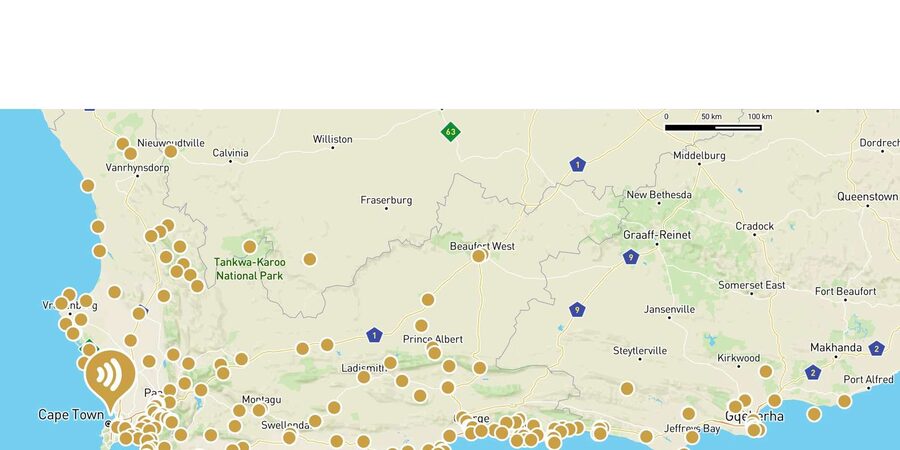
The audioguide is available in English and German. You select the language inside the app, so you’re not committed to a single language after purchase.
When you’re listening while driving, I like having a predictable rhythm. GPS-triggered playback gives you that. You also have the choice of going manual through the map view or list. That’s handy if you want to avoid interruptions, or if you’re parked and want to listen deliberately.
If you’re sharing the phone, make sure the audio volume is clear from the seat you’re in. You’ll enjoy this most when the narration is easy to hear without shouting over wind noise.
Value for Money: $23 per Group, Not Per Person
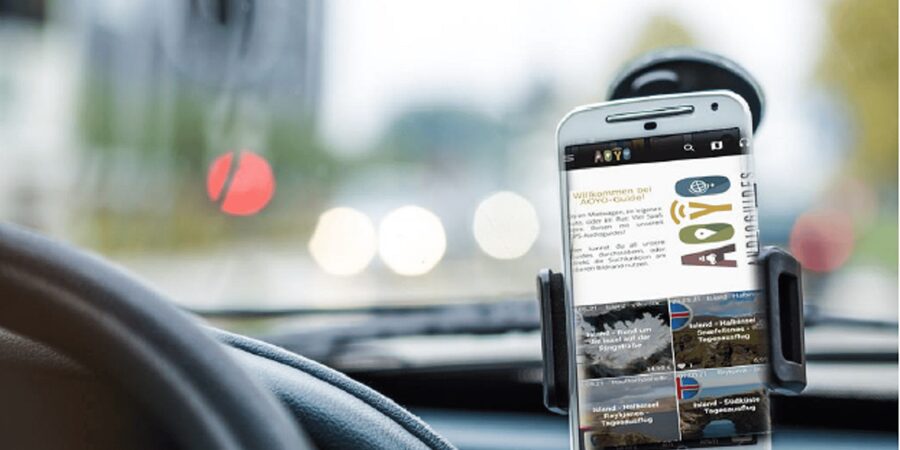
The price is listed as $23 per group up to 5 participants. But there’s also an important detail: the price refers to the download of the guide on a smartphone and is not per person.
That combination is what makes the value math interesting. If you’re traveling as a couple, with friends, or as a small group who can share one phone, you can stretch the cost across more than one person. And because it’s valid for 365 days after download and can be used repeatedly, you’re buying access to a long-lasting resource, not a single paid day.
Also, compare this to the typical “tour guide experience.” Guided tours can be expensive because you’re paying for someone’s time, transportation, and coordination. This audioguide gives you the guide-style information while you still get to explore under your own schedule. You pay for the content and the delivery system, not for the bus.
There is a tradeoff, though. This does not replace the things only a live guide can do, like answering custom questions or recommending adjustments in real time. But if your style is self-drive plus context, the pricing makes a lot of sense.
What’s Not Included, and Why That’s Actually Helpful
The guide includes audio information, but it does not include:
- Vehicle or driver
- Entrance fees
- Parking fees
That sounds obvious, but it’s worth saying clearly. You should budget for parking and any entry tickets you choose to add, because the guide will still tell you about places you might want to visit.
In a way, that’s helpful. You stay in control. If you want to pay for entry somewhere, you do it because it’s your choice, not because a package tells you to. The audio supports the decision by helping you understand what you’re looking at.
Practical Tips for Using It Well (So You Don’t Miss the Good Parts)

Here’s how to make this kind of audioguide actually work during a road trip:
- Plan for short pull-offs. GPS stations work best when you can park or at least slow down safely.
- Use the app’s map view when you want to jump ahead. If you know you’re skipping a section, you can avoid wasting listening time.
- Keep your phone charged. You’re using it for navigation and audio, so treat battery life like part of the itinerary.
- Choose the language once and commit. Switching back and forth can break the listening flow.
- Treat the audio as a “look closer” tool. Don’t just listen and drive. When the station triggers, quickly scan for the features the narration is pointing out, even if you never leave the car.
Who This Audioguide Is Best For
This audioguide fits a specific traveler type: the person who wants a self-drive itinerary, but still wants meaning.
You’ll likely enjoy it if:
- You’re road-tripping by rental car and you want the drive to feel guided
- You prefer flexible timing over bus-tour schedules
- You like learning about people and sights rather than only chasing photo stops
- You’re traveling in English or German and want a native-feel listening experience
It’s also a great match for travelers who find group tours tiring. Because it’s audio-only, you do not have to coordinate everyone’s pace. You can stop when you want and move on when you’re done.
What the Positive Reviews Emphasize, and Why I Agree With the Logic
The strongest praise makes sense. One reviewer from Germany used the app on a rental car trip and liked having a personal guide available throughout the drive. Another gave a top rating and signaled that the experience felt well made.
The common thread is practical. You get useful context at the places you’re actually passing, and you don’t have to buy a pricey guided tour to get that guidance. In other words, the app delivers the core value of a tour guide, without forcing you into the tour-guide schedule.
And the part about real voice narration matters more than you might think. When the delivery is human, you listen longer and pay attention. When it’s computer-sounding, you tune out.
Should You Book This South Africa Garden Route and Western Cape Audioguide?
If your goal is to drive the Garden Route and Western Cape with confidence and context, I think this is an easy yes.
Book it if:
- You want GPS-triggered audio instead of reading on your phone
- You appreciate real-voice narration that keeps your attention
- You’re staying flexible with your rental car route
- You want the guide to work offline during driving days
Skip it if:
- You expect a live guide to handle questions and adapt plans
- You’re only doing a very short trip and you don’t think 6 hours of audio will match your schedule
- You need someone to handle logistics like entrance tickets and parking
If that describes you, you’ll probably love having the information show up right where you are. This is one of those tools that makes a self-drive feel intentional, not accidental.
FAQ
Do I need a meeting point to start?
No. You can start the audio guide wherever and whenever you want. There is no start or meeting point.
How long is the audio guide, and how many stops does it include?
It includes over 210 stations, with about 6 hours of audio information.
Does the audioguide work offline?
Yes. The guide can be downloaded for offline use.
What languages are available?
The audio guide is available in English and German, and you can select the language in the app.
Is it narrated by a real person or a computer voice?
It is read by real voice actors, not a computer voice.
Is the guide price per person?
The price refers to the download on a smartphone only, and it is not per person. It is listed as $23 per group up to 5 participants.
Are entrance fees and parking included?
No. Entrance fees and parking fees are not included.
The Garden Route, End to End
Keep going: the rest of our Cape Town write-ups
- Cape Town to Cape Point Helicopter Flight – 48Min
★ 4.2 · 3 reviews - Full Day Private Hiking Table Mountain & City
★ 5.0 · 3 reviews - Sandboarding with jeep – drive uphill
★ 5.0 · 3 reviews - Full Day Tour for Cape of Good Hope & Boat to Seals Island
★ 5.0 · 3 reviews - 10 Day South Africa Tour Joburg to Cape Town
★ 5.0 · 3 reviews - 5 Day Garden Route Small Group Tour Fr CapeTown – Departs Mondays
★ 5.0 · 3 reviews
Garden Route Tours, compared.
 ★ 4.8From Cape Town: 2-Day Safari at Garden Route Game LodgeFrom $533928 reviews
 ★ 5.05 Day Garden Route and Addo Safari – Best of South Africa Small Group TourFrom $575291 reviews
 ★ 5.06-Day Garden Route & Addo South African Adventure from Cape TownFrom $675282 reviews
 ★ 4.8From Cape Town: 5-Day Best of Garden Route and Addo SafariFrom $675221 reviews
 ★ 5.03 Day Garden Route’s Best Highlights with Safari from Cape TownFrom $366189 reviews
 ★ 5.03 Day Garden Route SafariFrom $445177 reviews
 ★ 4.7Cape Town: Garden Route and Addo Elephant Park 6-Day SafariFrom $852175 reviews
 ★ 4.8From Cape Town: 3-Day Garden Route Highlights and 4×4 SafariFrom $417136 reviews
Browse the lists this tour appears in